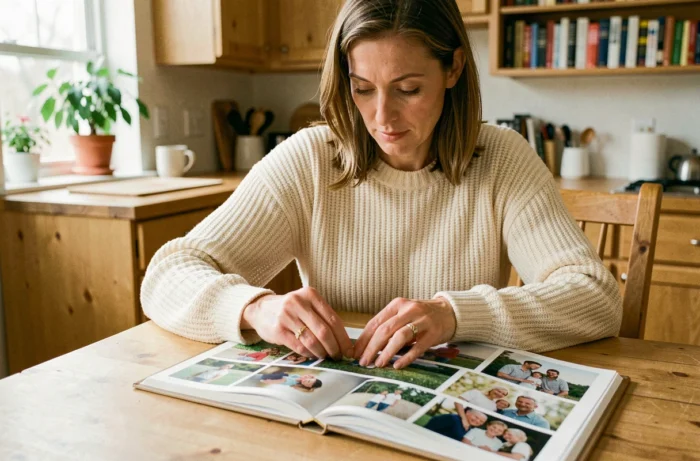
We all have a “family photos” folder that is overflowing: snapshots from New Year’s Eve taken on a smartphone, yellowed prints from grandparents, drawings from the little one taped to the fridge. The family photo book project often starts there, in this charming mess. The challenge is not technical; it is editorial: how to assemble such different sources into an album that everyone will enjoy flipping through, from the twelve-year-old cousin to the great-grandmother?
Mixing paper photos, children’s drawings, and mobile images in the same photo book
The first concrete obstacle is the heterogeneity of the files. A digitized film photo scanned on a family scanner does not have the same resolution as a portrait taken with a recent phone. A child’s drawing scanned flat often results in a dull rendering if the brightness is not corrected.
For old paper prints, you gain quality by scanning at a sufficient resolution rather than photographing them with a phone (ambient light creates reflections). Scanning paper photos flat remains the most reliable method for preserving details.
Children’s drawings deserve separate treatment. Photobox describes a use case where children’s creations are scanned to be directly integrated into the pages, accompanied by anecdotes. You can reserve half a page for the drawing and place a photo of the child drawing next to it. The contrast between the clumsy line and the snapshot creates a more lively page than a grid of six identical photos.
On joliefamily.fr, creating a personalized family album allows you to combine these different sources into one project without having to standardize the formats beforehand.
Structuring a family photo album by chapters rather than by date
The classic mistake when creating a family photo book is chronological stacking. You start in January, finish in December, and the result looks like a printed Instagram feed. Several recent guides recommend instead building the book around a narrative rhythm organized by chapters or themes.
In practice, you can divide the album into three or four blocks, each telling something different:
- A “rituals” chapter groups together Sunday meals, recurring walks, Christmas traditions, regardless of the year.
- A “firsts” chapter gathers first teeth, first bike rides, first days of school, even if these events span several years.
- A “family portraits” chapter presents each member with a photo and a short text, like a character page in a novel.
- A “outtakes” chapter welcomes funny flops, silly faces, and unintentional artistic blurs that often make the best pages.
This division works well when several generations contribute to the project. Everyone knows which chapter to slide their favorite photos into, and the final result has a coherence that chronological sorting does not produce.
Choosing the format and cover for a family photo book
The book’s format determines the layout much more than one might think. A square format suits symmetrical compositions (one large photo per page, caption below). A landscape format offers more flexibility for collages with multiple images and group panoramas.
For an album intended to circulate among several households, a hard cover better protects the pages during back-and-forth trips. If the book stays with the grandparents, a soft cover lightens the budget and is more than sufficient. Feedback varies on this point depending on the actual use of the object.
Paper quality and number of pages
Matte paper reduces reflections and makes children’s drawing colors more true to life. Glossy paper favors landscapes and portraits in full light. Alternating matte and glossy is not possible on most platforms, so you must choose based on the dominant content.
Regarding the number of pages, it’s better to plan generously at the start and trim later. We tend to underestimate the space needed when mixing photos, texts, and drawings. An airy page with two well-placed images tells more than a cluttered page with eight miniatures.

Personalizing texts and layout for a readable album
A family photo book gains a lot in emotion when each generation adds its voice. You can ask grandparents to dictate a caption, children to write a word (even phonetically), and parents to summarize the context in one sentence.
Varying the fonts by contributor helps the reader identify who is speaking. Handwritten text scanned for children, a sober font for adults, italics for quotes from grandparents. This visual diversity gives character to the pages without complicating the creation.
Limiting text per page
Two to three lines of text per double page are sufficient in most cases. Beyond that, the photo book transforms into an illustrated diary and loses visual impact. The photo must remain the main element; the text serves as context, not a complete narrative.
For captions, the most effective format remains “who, where, when” in a single sentence. Longer anecdotes work better grouped on a dedicated page between two photo sections, like a narrative interlude.
A successful family album is not the one that contains the most photos. It is the one you reopen six months later because each page tells something specific, in a format that the whole family can hold in their hands.